Desk setup checklist based on INSST guidance
This checklist gathers what the INSST, Spain’s national institute for safety and health at work, recommends. It’s for setting up a screen workstation at home or in the office. I’ve summarised its public guidance and ordered it as a list; the figures are the INSST’s. The INSST hasn’t produced, reviewed or endorsed this page. Print it and tick each box as you place your screen, chair, keyboard and light.
This is general information: it isn’t a medical consultation or an assessment of your workplace.
Date: Workstation (home or office):
Tick here or on paper; nothing you tick is saved or sent.

The desk at a glance
Each number on the drawing matches a section of the checklist; click or tap one to go to it. The laptop (6) and breaks (8) appear only in the key.
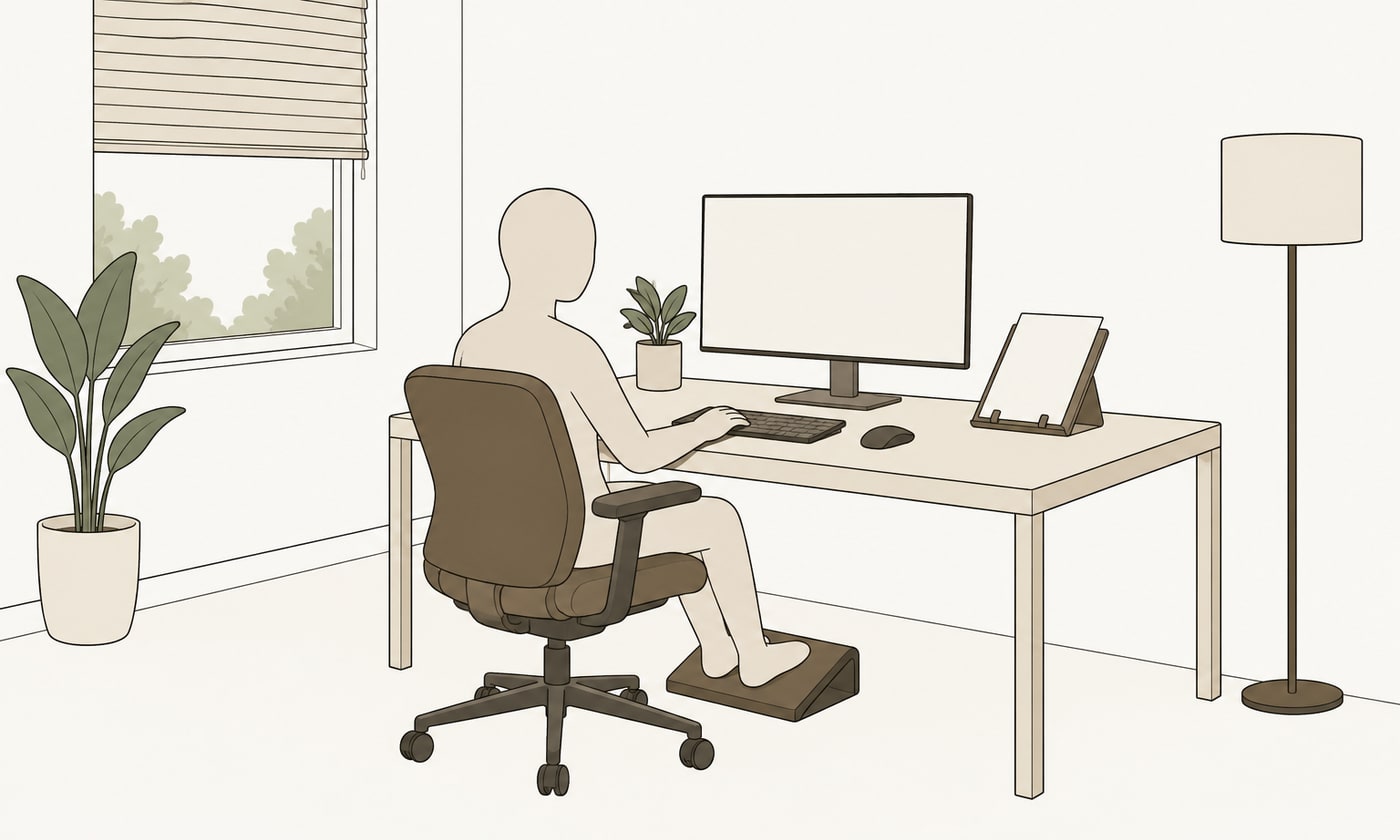
Compare each pair of drawings with your own desk. They are this site’s own illustrations and show the INSST points this checklist summarises.
Where this checklist comes from
Every item comes from these public INSST documents and from Royal Decree 488/1997. They are in Spanish. You can find the INSST documents by their Spanish titles on insst.es, and the Royal Decree in the BOE, Spain’s official gazette (boe.es).
- INSST, “Guía técnica para la evaluación y prevención de los riesgos relativos a la utilización de equipos con pantallas de visualización” Technical guide on the risks of working with display screen equipment. Updated in 2021. It explains how to apply Royal Decree 488/1997.
- INSST, “Orientaciones para la gestión de los aspectos ergonómicos y psicosociales en situación de teletrabajo” Guidance on ergonomic and psychosocial aspects of remote work. Technical document, 2022.
- INSST, “Preguntas técnicas frecuentes: trabajo con pantallas de visualización” Frequently asked technical questions on display screen work. INSST web page, undated.
- Real Decreto 488/1997, de 14 de abril (Royal Decree 488/1997 of 14 April on minimum health and safety requirements for work with display screen equipment) BOE no. 97, 23 April 1997.
Checked on 24 October 2026
Frequently asked questions
Questions about this checklist
Where does this checklist come from?
From three public documents by the INSST, Spain’s national institute for safety and health at work. They are the technical guide to Royal Decree 488/1997 (2021), its telework guidance (2022) and its frequently asked technical questions. I’ve summarised them and ordered them as a list; the figures are the INSST’s.
Does it apply if I use a laptop?
Yes. Connect a separate keyboard and mouse. Raise the screen on a stand to eye height, or use an external screen. Then go through the screen, chair and keyboard items as you would with a desktop computer.
How often does the INSST recommend a break?
The INSST gives examples, not a fixed rule. It suggests changing position at least every 30 minutes. It also suggests short, frequent breaks, for example 5 to 8 minutes every hour or hour and a half. For the eyes, its 20-20-20 rule: every 20 minutes, look at something about 6 metres away for 20 seconds.
Can I print the checklist? Do I need to register?
Yes, you can print it, and there’s no need to register. Press “Print the checklist” and it comes out on one or two A4 sheets, with tick boxes. The page doesn’t ask for any of your details.
Is this checklist an assessment of my workplace?
No. It’s general information, based on INSST guidance, for setting up a desk, at home or in the office. At work, assessing a screen workstation is the employer’s job (Royal Decree 488/1997). The INSST itself says its own checklist doesn’t replace that assessment.
Message me to arrange an appointment
I see you at my clinic in San Pedro de Alcántara, by appointment only. For home visits I cover San Pedro, Marbella, Benahavís and, with prior notice, Estepona. I also come to your office; we agree the day and time by message. The details are on my page for people who work at a desk.
Phone +34 672 29 91 22